
Omi AI Wearable Review (2026): Price, Subscription Plans & DevKit 2
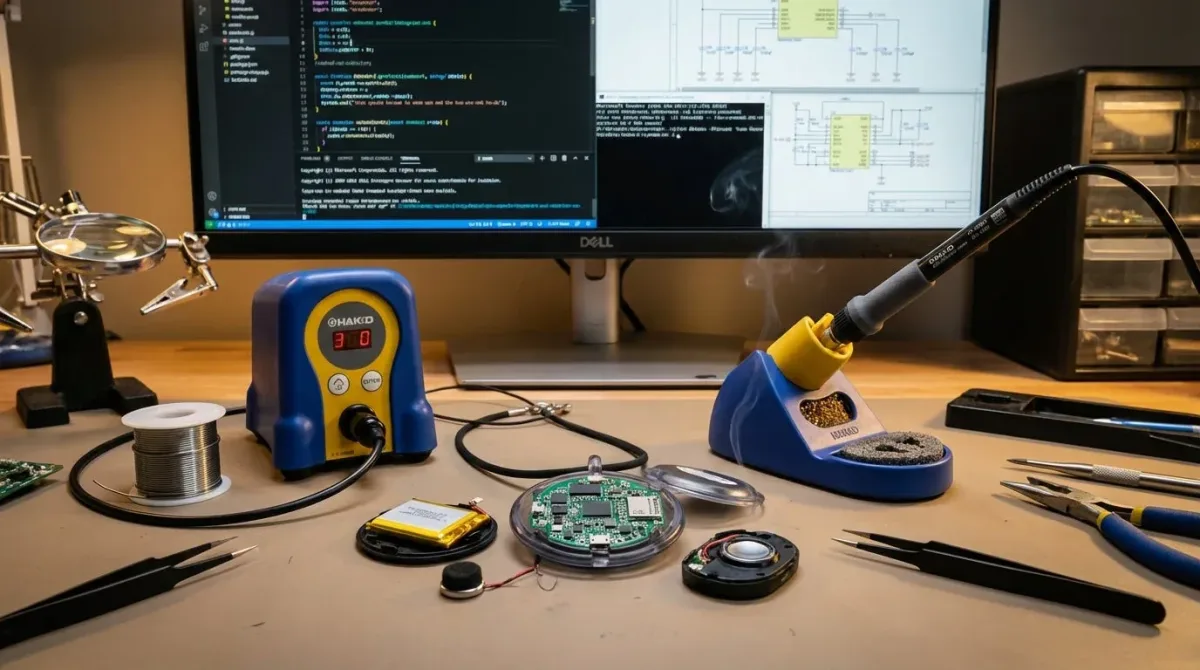
This Omi AI wearable review answers the questions buyers and developers are asking in 2026: what Omi does, whether it is an AI watch, the current Omi AI wearable price, how the Omi subscription works, what the Omi DevKit 2 is for, and where a dedicated audio recorder may be a better fit.
Quick Verdict: Omi is an open-source, app-connected AI wearable built around conversation capture, transcription, memory, summaries, and extensions. It is most compelling for developers and technically curious users who value customization. It is not an AI smartwatch, and the DevKit 2 should not be treated like a polished standalone recorder. The official store displayed the DevKit 2 at $69.99 when this guide was checked on September 8, 2026; price, stock, plans, and features can change.
Quick Answer: Omi Price, Plans, and Best-Fit User
| Question | Short Answer (As of September 8, 2026) |
|---|---|
| What is Omi? | An open-source AI wearable platform that pairs with a mobile app to capture and process conversations. |
| Is Omi an AI watch? | No. Searchers sometimes call it an “Omi AI watch,” but the DevKit 2 is a wearable device rather than a smartwatch with a watch display and watch apps. |
| What is the Omi AI wearable price? | The official DevKit 2 product page displayed $69.99 at the time of checking. Verify the live page before ordering. |
| Does Omi require a subscription? | A paid subscription is not required for the Basic plan. Basic includes 300 listening minutes per month; Plus and Unlimited add more processing capacity. |
| Who is DevKit 2 for? | Developers who want to test firmware, raw-audio streaming, local storage, GPIO, protocols, and custom app or backend work. |
| Who should look elsewhere? | Buyers who need a simple standalone recorder, predictable file handling, direct phone-call recording, or minimal setup. |
The most important distinction is between a developer platform and a finished appliance. Omi publishes hardware, firmware, app, and backend resources and invites customization. That openness is valuable, but it also means a buyer should identify which experience they want: the hosted Omi app, a self-managed development setup, or a preconfigured recorder with a simpler workflow.
What is the Omi AI Wearable?
Omi describes itself as an open-source AI wearable that captures conversations, produces real-time speech-to-text, identifies speakers, creates summaries and action items, and builds a searchable memory. Its official documentation also presents community apps, integrations, self-hosting, firmware customization, and build-your-own hardware paths. The wearable pairs with the Omi mobile app rather than operating as a conventional smartwatch.
The phrase “Omi AI wearable” can refer to more than one layer:
- Wearable Hardware: The microphone-equipped device that captures audio and connects to your phone.
- Mobile App: The interface used for pairing, transcripts, memories, summaries, questions, and settings.
- Cloud or Self-Hosted Backend: The processing and storage path chosen for the software experience.
- Developer Platform: Open-source firmware, app, backend, SDK, protocol, and integration resources.
This layered design explains why two Omi users can have completely different experiences. One may use the standard app and subscription plan. Another may flash firmware, inspect the audio stream, connect a private backend, or build an app. Reviews that describe only the pendant without naming the app and processing path leave out a major part of the product.
Is Omi an AI Watch?
No. “Omi AI watch” is a common search phrase, but DevKit 2 is not presented as a screen-based smartwatch. It can be worn, paired, and used for voice questions or conversation capture, yet it does not replace the general-purpose display, notifications, fitness functions, or app ecosystem of a smartwatch. Buyers looking for a wrist display should not assume the term “wearable” means “watch.”
Omi AI Wearable Price and Subscription Plans
The official DevKit 2 page displayed a price of $69.99 when checked on September 8, 2026. Hardware pricing, promotions, shipping, tax, and availability can change; always confirm the current total on the official Omi DevKit 2 product page.
The statement “Omi has no subscription” is outdated. Omi's current help center lists Basic, Plus, and Unlimited plans. Recording can continue when a processing allowance is reached, but transcription and analysis capacity depends on your specific plan.
| Omi Subscription | Listening Allowance | Monthly Billing | Annual Billing | What It Means |
|---|---|---|---|---|
| Basic | 300 listening minutes/month | Free | Free | Core transcription, insights, and memories within the allowance; no paid subscription required. |
| Plus | 1,500 listening minutes/month | $19 / month | $161.91 / year | More monthly processing capacity for regular, daily use. |
| Unlimited | Unlimited listening | $29 / month | $269.91 / year | Unlimited transcription and analysis under the current plan description. |
Note: These figures are based on Omi's official subscription guide. Treat them as a dated snapshot. Before buying, check the hardware price and the plan page separately: a low device price does not reflect the total cost for someone who processes many hours every month.
Omi DevKit 2: What Official Documentation Confirms
Omi positions DevKit 2 for developers who want to build, test, and customize the experience. The official setup guide describes power methods, including a physical power switch (if applicable), holding down the center button, or supplying power via USB-C. The guide also explains app pairing, LED states, firmware updates, and basic transcription testing.
Documented developer features include:
- Software Customization: Modifying and flashing firmware for the device.
- Testing Tools: Utilizing diagnostic and testing tools focused on development.
- Audio Streaming API: Accessing raw audio data to build custom workflows.
- Local Storage: Accessing on-device data supported by the development roadmap.
- GPIO Access: Working directly with hardware pins.
- Protocol Testing: Testing and debugging device communication.
The official Omi DevKit 2 setup documentation also warns that some dev kits may require a firmware update before functioning. This is crucial for non-technical buyers: “in stock” or “shipping ready” does not necessarily mean “ready for a meeting straight out of the box.”
Technical Note: Earlier drafts of this article listed estimated battery life of 10–14 hours, specific Bluetooth versions, and water-resistance terminology. Those details have been omitted here because the official sources used for this update do not provide sufficient direct support to present them as stable DevKit 2 specifications.
How Omi Works from Capture to Useful Output
- Device Pairing: Install the Omi app on a compatible iPhone or Android phone and pair the wearable through the app.
- Voice Capture: The microphone captures audio and transmits it via the device and configured app workflow.
- Transcription & Organization: The selected service path generates transcripts, identifies speakers, summarizes conversations, and extracts action items or memories.
- Reviewing Results: Cross-reference names, dates, numbers, decisions, and speaker labels with your notes.
- Action or Extension: Use the Omi app, install community apps, connect integrations, or build a custom workflow with the open-source platform.
Omi’s official open-source repository includes the mobile app, backend system, firmware, SDK, and related projects. Open source improves inspectability and customization, but it does not guarantee that every hosted service is private by default. Privacy outcomes still depend on the app, backend, transcription service provider, integration methods, and storage path you use.
What Does “Local” Really Mean?
Local storage, offline processing, and self-hosting are entirely different concepts. Local storage means some data may reside on the device. Offline processing means a task can be completed without an internet connection. Self-hosting means you operate the backend yourself. Always confirm the exact method you plan to use rather than treating these terms as interchangeable.
Privacy, Consent, and Data Control
An always-listening microphone creates consent issues long before it creates technical issues. Wearables are easily forgotten, while other participants may not realize a conversation is being processed. Inform participants when recording or transcription is active, comply with workplace and school policies, and check applicable recording laws before use.
To control data effectively, ask yourself these five practical questions:
- Where is raw audio stored or buffered?
- Which service performs the transcription and summarization?
- What integrations have read access to conversation data?
- How do you export and delete recordings, transcripts, and memories?
- What changes when you switch from Omi’s hosted model to a self-hosted backend?
Do not assume that marketing terms like “open source,” “encrypted,” “private,” or “self-hosted” guarantee compliance. Regulated work requires written terms, access controls, data retention settings, operational procedures, and deployment-specific documentation. This article does not treat marketing language as an independent security audit.
Limitations and Trade-Offs
- Developer Setup: DevKit 2 may require firmware updates and troubleshooting before use.
- Phone Dependency: The standard experience relies on connecting the wearable to a mobile phone app.
- Service Costs: The free tier includes a limited processing allowance, while heavier usage may require the Plus or Unlimited plans.
- Evolving Platform: Pricing, plan capacities, apps, software, and hosted features can change post-launch.
- Transcription Limits: Background noise, distance, overlapping speech, regional accents, and specialized vocabulary can reduce transcription accuracy.
- Consent: Collecting data via a wearable may be inappropriate or illegal if participants have not consented.
- Category Mismatch: Buyers expecting an AI watch or a simple standalone recorder may find the workflow more complex than anticipated.
Omi is most compelling when openness and extensibility are core to your purchasing decision. Developers can inspect code, build integrations, and alter data paths. Buyers who value one-touch audio capture and simple file ownership may prefer a dedicated recorder.
Omi Versus a Dedicated AI Voice Recorder
Omi and dedicated recorders share similarities in transcription, but they stem from different priorities. Omi emphasizes an extensible wearable platform. Dedicated recorders focus on reliable audio capture, on-device storage, and a clearly defined handoff workflow.
| Decision Factor | Omi DevKit 2 | UMEVO Note Plus |
|---|---|---|
| Primary Fit | Development, customization, community apps, and wearable conversational workflows. | Dedicated call and voice recording with reliable local audio storage. |
| Core Connectivity | Compatible with the Omi mobile app; developers can customize software and backend operations. | Uses companion app and Bluetooth pairing; the hardware does not include Wi-Fi. |
| Local Storage Specs | Local storage access is documented in the development roadmap; verify behavior for specific firmware builds. | The official product page specifies 64GB internal storage and approximately 40 hours of recording time. |
| Cloud & Remote Expectations | Hosted and self-hosted software paths available; exact data path depends on configuration. | No automated cloud backup, remote access, or remote control; recordings are transferred via local workflows/supported apps. |
| Best Reason to Choose | You want to build or customize an open-source AI wearable experience. | You need a dedicated recorder with a well-documented dual-mode recording workflow. |
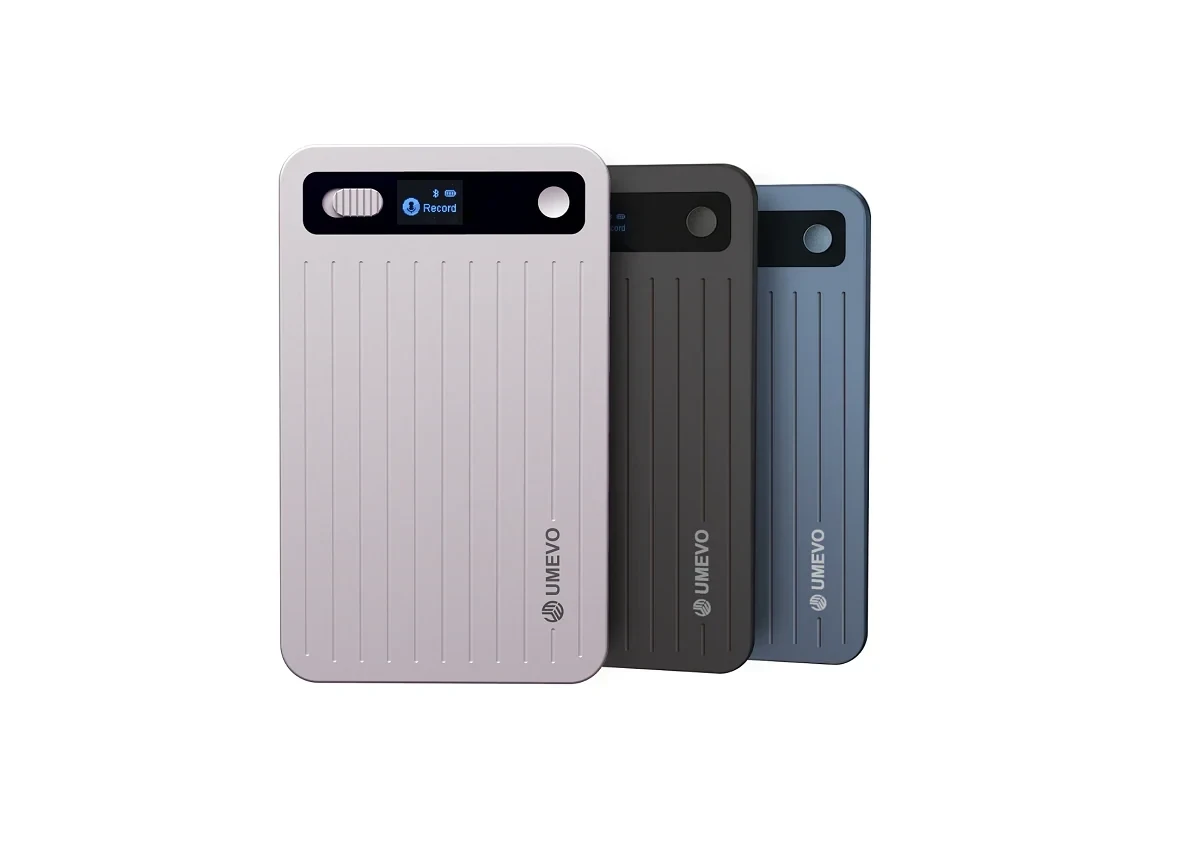
UMEVO Note Plus is a dedicated recording appliance rather than an open-source developer kit.
The official UMEVO Note Plus product page lists 64GB storage, approximately 40 hours of recording capacity, dual-mode recording for room and phone calls, and Bluetooth pairing with the AI DVR Link app. The page does not list Wi-Fi, automated cloud backup, remote access, or remote control. Buyers should confirm current specifications and plan terms on the product page before purchasing.
(Note: Overview features of the original UMEVO Note Plus version remain intact. Please check the online product page for current specifications and plan terms.)
Frequently Asked Questions
What is the price of the Omi AI wearable in 2026?
The official Omi DevKit 2 product page displayed $69.99 when checked on September 8, 2026. Pricing, promotions, taxes, shipping, inventory, and availability can change, so check the live product page before ordering.
Does Omi require a paid subscription?
The Basic plan does not require a paid subscription and currently includes 300 listening minutes per month. The Plus plan includes 1,500 listening minutes, and the Unlimited plan offers unthrottled listening according to current official plan descriptions.
Is Omi an AI smartwatch?
No. Omi is an AI conversational and wearable platform that pairs with a mobile app. DevKit 2 is not presented as a screen-based smartwatch and should not be expected to replace conventional smartwatch functions.
What can developers do with the Omi DevKit 2?
Official documentation lists software customization, testing tools, audio-streaming APIs, local storage access, GPIO access, and protocol testing. Developers can also work with Omi’s open-source app, backend, firmware, and SDK resources.
Can Omi work without the cloud?
Omi’s documentation mentions self-hosting, local storage, and open-source components, but those terms do not guarantee that every feature functions offline. Confirm the exact software, app, speech-to-text provider, backend server, and storage path required for your configuration.
Should I choose Omi or a dedicated AI voice recorder?
Choose Omi when open-source customization, apps, and developer access are your top priorities. Choose a dedicated recorder when you need a simpler capture workflow, raw audio file retention, stable handoff, or specialized call and room recording.
Official Sources and Update Notes
- Omi DevKit 2 Product Page: Hardware pricing and product positioning.
- Omi Subscription Overview: Basic, Plus, and Unlimited tiers and pricing.
- Omi DevKit 2 Setup Guide: Power sources, pairing, software, testing, and developer features.
- BasedHardware/Omi Repository: Open-source app, backend, firmware, hardware, and SDK resources.
- UMEVO Note Plus Product Page: Current product specifications and service terms.
Last updated: September 8, 2026. Product pricing, availability, subscriptions, software, and app features are subject to change. Please confirm details on official pages before making purchases or designing production workflows.